


Views: 0 Author: Site Editor Publish Time: 2026-09-30 Origin: Site


Walking into a chaotic restaurant kitchen during a busy dinner service reveals a highly fragile ecosystem. A single misplaced order ticket can ruin your entire service flow. Installing a receipt printer in the wrong location directly impacts table turnover. It increases order errors. It also leads to frequent hardware replacement. Electronic devices fail rapidly when exposed to intense heat, airborne grease, and accidental liquid spills.
An optimal installation ensures your tickets remain readable throughout the shift. Proper placement helps the hardware survive a very harsh environment. This approach guarantees order routing flows seamlessly from your Point of Sale (POS) system straight to the correct prep station. This guide covers strategic placement rules. We will explore environmental risk mitigation. We will also detail specific connectivity requirements. These insights will help operators finalize their hardware setup perfectly.
Location dictates hardware type: Standard front-of-house thermal models often fail in high-heat zones; placement determines if you need an impact printer or a specialized hardened model.
Ticket routing matters: Multi-station kitchens require distinct printers at the Hot Line, Cold Station, and Expo to prevent bottlenecks.
Hardwired over wireless: Stainless steel environments destroy Wi-Fi signals; reliable installations require hardwired Ethernet (LAN).
Clear vendor evaluation: Selecting reputable 80mm Receipt Printer Manufacturers with seamless POS integration prevents downstream network failures.
The front of house (FOH) setup demands specific features. A standard Receipt Printer placed near the cash drawer prioritizes quiet operation. FOH staff need extremely fast output to keep guest lines moving. You want a sleek design merging into the aesthetic environment.
Conversely, the back of house (BOH) reality looks entirely different. A dedicated kitchen Printer faces severe operational demands. These machines endure airborne grease. They survive loose flour in bakery sections. They withstand extreme temperature fluctuations near ovens. You cannot simply place a standard retail device here. It will fail quickly.
We must address the thermal versus impact decision. A standard Thermal Receipt Printer works beautifully for FOH registers. It also suits expo counters and cold prep stations. It uses heat to print on treated paper. However, you must pivot to an impact (dot-matrix) printer for high-heat cooking lines. Ambient heat from grills turns thermal paper completely black. This chemical reaction erases the entire order. Impact printers use traditional ink ribbons. They print clearly on standard paper regardless of surrounding heat.
Common Mistake: Using thermal paper directly above a deep fryer. The radiant heat destroys the ticket legibility in seconds, forcing chefs to guess the order.
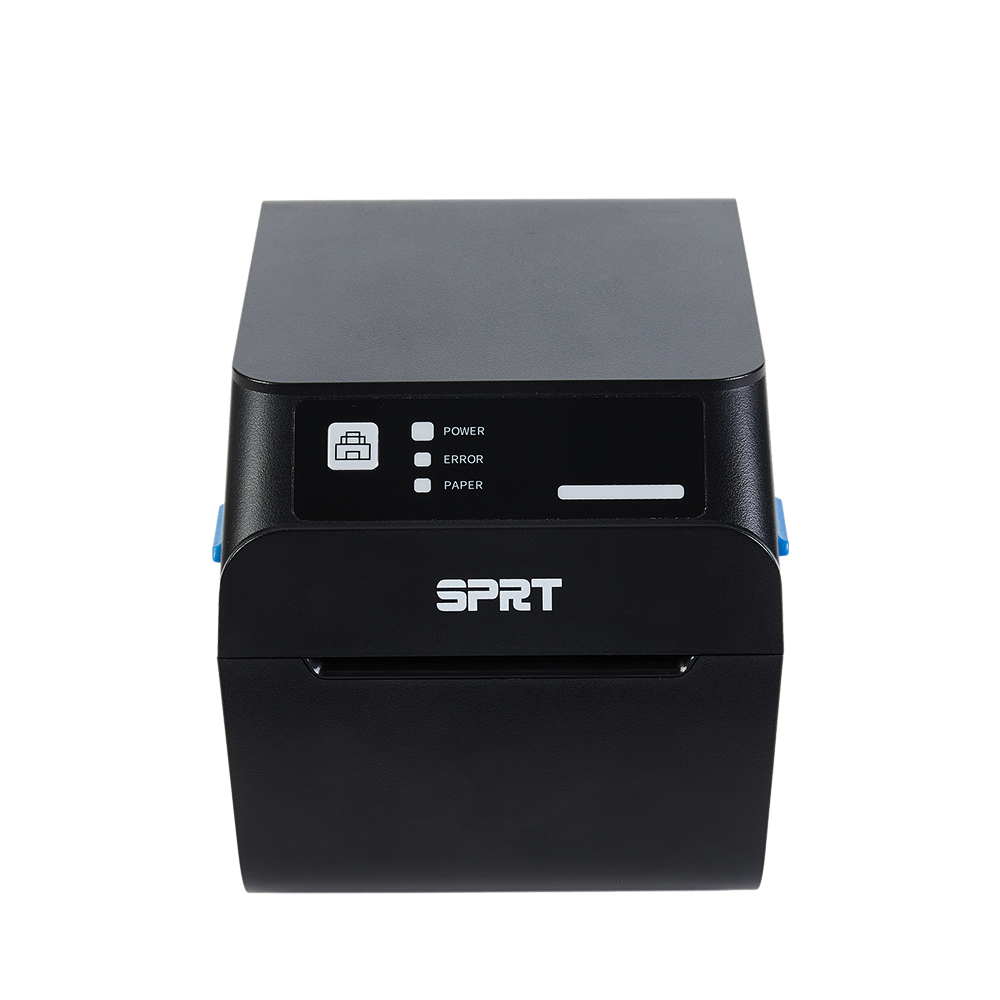
Your expeditor (expo) station acts as the kitchen brain. Proper installation here guarantees smooth service delivery.
Install the device at ergonomic eye-level or waist-level.
Keep the unit near the final plate assembly area.
Ensure it aggregates all station tickets for final quality control.
The Hot Line (Grill/Fry/Saute) requires strict physical spacing. Keep printers at least three to four feet away from open flames. Keep them far from deep fryers. Counter space often feels limited in these zones. Mount the unit on a secure wall bracket above the station. This elevation prevents liquid spills from ruining internal components.
Bar and cold stations handle salads or desserts. This zone represents the ideal environment for a fast 80mm thermal receipt printer. Temperatures remain stable here. You should focus heavily on automatic ticket routing logic. For example, drink orders bypass the main kitchen entirely. They print directly at the bar. This routing saves immense time. It prevents unnecessary foot traffic across the hot line.
Grease and airborne particulates ruin internal gears. You must position protective covers and physical guards correctly. Install printers on raised metal stands. Do not place them directly on stainless steel prep tables. Elevated stands avoid flour buildup. They prevent liquid pooling around the delicate power supply.
Heat proximity guidelines demand strict adherence. You must establish clear distance metrics from heat lamps and ovens. A standardized approach prevents unexpected meltdowns.
Minimum Safe Distances for Kitchen Hardware Proximity
Heat Source | Minimum Distance | Recommended Printer Type |
|---|---|---|
Deep Fryer | 4 Feet | Impact (Dot-Matrix) |
Open Flame Grill | 4 Feet | Impact (Dot-Matrix) |
Heat Lamp (Expo) | 3 Feet | Thermal or Impact |
Walk-in Cooler Wall | 2 Feet | Thermal |
Cable management often gets ignored during initial setups. Power and data cables create massive operational hazards. Route all cords through rigid conduits. Alternatively, use elevated hooks along the wall. Floor washing happens daily in commercial kitchens. Mops and heavy degreasers degrade physical cables quickly. Elevated cables prevent severe tripping hazards. They protect the internal wire integrity over time.
Best Practice: Bundle power and Ethernet cords in a waterproof sleeve. Secure them tightly behind wall mounts to prevent snagging.
We must address the Wi-Fi fallacy in modern kitchens. Tech forums frequently discuss this common IT pain point. Wireless networking sounds convenient initially. However, commercial kitchens destroy wireless signals. Stainless steel surfaces deflect radio waves. Industrial microwaves disrupt specific frequencies. Thick walk-in coolers cause heavy signal interference. These factors lead to delayed orders and dropped tickets. You cannot risk losing a VIP order.
The LAN standard solves these problems completely. Hardwiring your hardware via CAT6 Ethernet remains the industry standard. Connecting directly to a network switch guarantees maximum uptime. Physical cables ignore radio interference entirely.
Network Stability Comparison Chart
Connectivity Type | Interference Risk | Uptime Reliability | Best Use Case |
|---|---|---|---|
Wi-Fi | High (Metal, Microwaves) | Low in BOH | Food Trucks, Small Cafes |
Hardwired LAN | Zero | Maximum | Commercial Kitchens, High-Volume BOH |
Bluetooth | High (Distance Limits) | Poor | Mobile POS Tablets only |
IP configuration presents a brief implementation risk. Your IT staff must assign a Static IP address to the unit. Dynamic IP addresses change periodically. If the router reboots, a dynamic address breaks the POS connection. A static IP ensures the POS system never loses connection. It always knows exactly where to send the digital ticket.
Vetting reputable 80mm Receipt Printer Manufacturers requires diligence. Look strictly for commercial-grade warranties. Seek out spill-resistant physical designs. You must guarantee ease of sourcing replacement parts. Auto-cutters and printheads eventually wear out. Reliable manufacturers supply these parts quickly.
The software handshake matters immensely. Verify your chosen hardware uses standard emulation protocols. The ESC/POS protocol remains the global standard. Ensure your restaurant management system supports it natively. Native integration prevents downstream network failures. It eliminates the need for unstable third-party driver bridges.
Establish baseline troubleshooting standard operating procedures (SOPs). Train your staff thoroughly before finalizing the mounting location.
Paper Roll Replacement: Train staff to load paper one-handed during a rush.
IP Reset Protocols: Print a cheat sheet showing how to print the self-test IP page.
Jam Clearance: Teach managers how to safely disengage the auto-cutter blade.
Cleaning Routine: Wipe down exterior chassis sensors daily to remove grease.
Successful placement represents a delicate balance. You must balance operational flow with environmental defense. You want to put tickets exactly where chefs naturally look. Simultaneously, you must keep hardware away from heat, water, and grease. Proper placement prevents catastrophic hardware failures during peak hours.
Take immediate action using these next steps. Conduct a physical walk-through with your executive chef. Bring your IT integrator along. Map out the physical network drop points across the line. Confirm your POS ticket routing configurations match your menu stations. Finally, select the appropriate thermal or impact models for each specific zone. Proper planning guarantees smooth service during your busiest rushes.
A: No, you should never place thermal units near deep fryers. Ambient heat from fryers causes thermal paper to turn completely black. This chemical reaction erases the printed order instantly. We recommend installing an impact (dot-matrix) printer in high-heat zones or keeping thermal models at least four feet away.
A: Wi-Fi signals fail frequently in kitchens due to stainless steel interference. You must hardwire the device using a CAT6 Ethernet cable. Furthermore, assign a Static IP address in your router settings. This prevents the POS system from losing communication after network reboots.
A: Mount the unit at ergonomic upper-chest or eye level. This height keeps the hardware out of liquid splash zones on prep tables. It also ensures chefs can easily read incoming tickets without bending over, maintaining a seamless operational flow during busy dinner services.


