


Views: 0 Author: Site Editor Publish Time: 2026-09-16 Origin: Site


Mobile point-of-sale (mPOS) setups demand absolute portability. But businesses often ask a critical question. Can a compact 58mm device deliver professional, legible transaction records without sudden hardware failure? Field sales, pop-up retail, and tableside ordering are growing rapidly. Because of this, the physical footprint of hardware must shrink. However, transitioning from a standard 80mm terminal to a 58mm device brings up real concerns. You might worry about slower print speeds, weak battery life, or poor POS integration. This guide breaks down the operational realities, hardware constraints, and financial considerations of deploying 58mm printers for mobile commerce. We will explore how these devices function under pressure. You will also learn how to choose hardware confidently and optimize your entire mobile checkout process.
A 58mm thermal receipt printer is highly capable of managing mobile transactions provided the receipt layout is optimized for narrow-width text limits (typically 32 characters per line).
Bluetooth and cloud connectivity eliminate cable dependencies, but require strict vetting of OS compatibility (iOS/Android) and POS software integration.
True mobility requires assessing commercial-grade specifications: battery capacity (minimum 1500mAh), drop resistance, and standby power management.
Vetting 58mm receipt printer manufacturers on their warranty, SDK availability, and firmware support is critical to avoiding high replacement rates.
Retailers constantly face a trade-off between hardware portability and data capacity. Traditional 80mm desktop printers provide ample room for complex itemization, branding graphics, and lengthy return policies. In contrast, 58mm devices force data minimalism. You must strip away non-essential text to fit the narrower paper roll.
Format constraints dictate exactly how you design your transaction tickets. A standard 58mm retail receipt printer allows roughly 32 characters per line. This limitation requires concise product descriptions and abbreviated tax lines. If you try to force an 80mm layout onto a 58mm roll, the text shrinks. The resulting printout becomes unreadable for the customer.
You must align the hardware choice to your specific operational environment. We recommend deploying 58mm printers in scenarios where line items are minimal. Some appropriate use cases include:
Food Trucks: Menus are short. Customers want fast service. A narrow ticket displays the order number and total clearly.
Delivery Logistics: Drivers need lightweight gear. A 58mm printout provides basic proof of delivery without weighing down the driver.
Pop-up Shops: Booths lack counter space. Small printers clip easily onto a belt or sit neatly next to a tablet.
Event Ticketing: Entry passes require only a simple QR code and a seat number.
Conversely, inappropriate use cases will cause immediate operational friction. We do not recommend 58mm printers for high-volume grocery lanes. Grocery receipts contain dozens of line items. Complex retail transactions requiring detailed tax breakdowns, loyalty program terms, or large coupon barcodes also demand 80mm paper. Using a 58mm printer in these environments slows down the checkout line and frustrates buyers.
Best Practice: Before purchasing a mobile printer, print a sample receipt using a 32-character limit tool. This exercise reveals whether your current layout fits a 58mm format effectively.
Choosing reliable mobile transaction hardware requires looking beyond basic paper width. You must evaluate connectivity protocols, power management, and physical durability.
Wireless connections drive mobile sales. You must evaluate Bluetooth standards carefully. Bluetooth Classic works well for continuous, heavy-duty data streams. However, Bluetooth Low Energy (BLE) preserves battery life during idle periods. Single-device pairing prevents cross-talk in busy environments. You must ensure your printer locks onto one specific tablet or smartphone securely.
Some operations require multi-device queuing without relying on a local Wi-Fi router. The role of a 58mm cloud receipt printer becomes vital here. Cloud printers fetch print jobs directly from web servers via cellular networks. This setup allows remote ticket generation. A server in a distant kitchen can instantly print orders taken by a mobile waiter outdoors.
Battery specifications confuse many first-time buyers. Manufacturers often market "standby time" aggressively. A printer might boast four to five days of standby power. However, standby time means nothing during a busy sales rush. You must evaluate continuous print time instead.
True mobile autonomy requires robust power management. Target batteries with a capacity between 1500mAh and 2000mAh. This range guarantees a full 8-to-10-hour shift of active mobile sales. Devices with smart sleep modes conserve energy between transactions, waking up instantly when receiving a print command.
Consumer-grade plastics shatter easily. Commercial deployment demands ruggedized equipment. Verifiable IP ratings measure protection against dust and water. An IP54 rating ensures rain and spilled drinks will not destroy the internal circuitry. Drop specifications also matter. A commercial unit should survive a 1.2m to 1.5m drop onto solid concrete.
Weight thresholds dictate user comfort. Workers carry these devices on their belts all day. Devices should remain under 300g. Anything heavier causes worker fatigue and physical discomfort by the end of a shift.
Mobile Printer Specification Standards
Specification | Consumer-Grade Minimums | Commercial-Grade Standards |
|---|---|---|
Battery Capacity | 1000mAh - 1200mAh | 1500mAh - 2000mAh |
Drop Resistance | 0.5 meters (Carpet) | 1.5 meters (Concrete) |
IP Rating | Unrated / IP40 | IP54 (Dust/Water splash) |
Weight | Often >350g (Bulky design) | Under 300g (Ergonomic) |
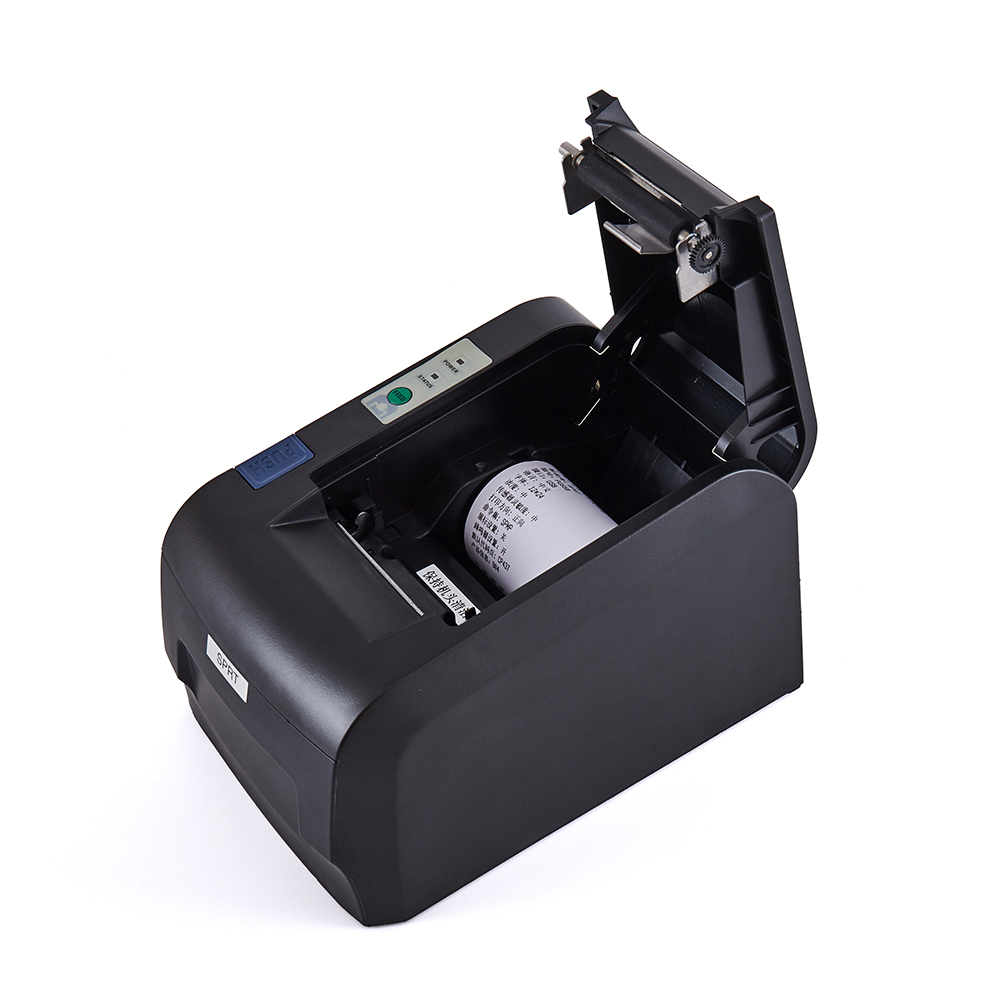
Evaluating hardware costs requires looking past the initial sticker price. Smart financial planning analyzes software subscriptions, daily consumables, and operational downtime.
Hardware investment versus software subscriptions creates a complex balance. Standalone mobile printers require lower upfront capital than all-in-one smart terminals. Smart terminals bundle the screen, scanner, and printer into one expensive brick. If a smart terminal printer jams, the entire unit goes offline. Standalone 58mm printers separate the risk. However, you might incur integration costs. If your current POS lacks native driver support, you may need to pay developers to build a custom API bridge.
Consumables affect your daily budget permanently. Any mobile Receipt Printer relies heavily on paper quality. Thankfully, 58mm thermal paper rolls are universally cheaper. They cost significantly less than 80mm rolls or specialized mobile ink cartridges. You can source 58mm thermal rolls easily from local office supply stores. This ubiquitous availability prevents expensive overnight shipping fees when inventory runs low.
You must also calculate the opportunity cost of downtime. Cheap consumer-grade models often suffer from rapid thermal head degradation. Their Bluetooth connections drop frequently. When a printer fails during a lunch rush, cashiers resort to handwritten receipts. Lines grow longer. Customers walk away. Investing in a commercial-grade Thermal Receipt Printer mitigates lost sales during peak hours. High-quality thermal heads process thousands of receipts smoothly before showing signs of wear.
Hardware power means nothing without seamless software integration. Syncing a mobile printer to an existing POS system introduces technical hurdles. You must address operating system compatibility and communication frameworks proactively.
The fragmentation risk catches many businesses off guard. An Android-compatible printer might fail entirely on an Apple device. Printers working seamlessly on Android often require specific MFi (Made for iPhone/iPad) certification to function on iOS. Apple enforces strict Bluetooth protocols. If a manufacturer skips MFi certification to save money, the printer will simply not pair with an iPad. Always verify OS compatibility before ordering bulk units.
Out-of-the-box Bluetooth pairing isn't enough. Just because your tablet recognizes the printer does not mean it can print a formatted receipt. The POS app must be able to send ESC/POS command protocols. These commands tell the printer exactly where to align text, how to bold fonts, and when to cut the paper.
Quality hardware vendors provide robust Software Development Kits (SDKs). Developers use these SDKs to bridge the POS software and the printer hardware. Without a proper SDK, formatting a 32-character line receipt becomes a frustrating guessing game.
Field deployments expose hardware to harsh realities. Common rollout risks include severe Bluetooth interference. High-density areas like trade shows or crowded festivals host hundreds of active Bluetooth devices. This congestion blocks signals. Printers drop offline. You can mitigate this by utilizing dedicated MAC address pairing or falling back to a wired USB connection.
Environmental factors also ruin paper. Standard thermal paper fading in high-heat environments destroys transaction records. If you operate food trucks in the summer, direct sunlight turns thermal paper completely black. You must stock heat-resistant thermal rolls to preserve receipt legibility.
Common Mistake: Ignoring firmware updates. Outdated firmware causes sudden Bluetooth disconnections. Regularly update your printer's firmware via the manufacturer's diagnostic application.
Selecting the right hardware partner determines your long-term success. The market floods buyers with identically shaped devices. Finding a reliable supplier requires strict vetting criteria.
Supply chain transparency matters immensely. You must identify true OEMs (Original Equipment Manufacturers) versus white-label resellers. True manufacturers control their own source code. They build the hardware from scratch. White-label resellers simply slap their logo on generic devices. Resellers cannot offer custom firmware updates. They abandon product lines quickly. Partnering with dedicated 58mm Receipt Printer Manufacturers ensures you receive long-term hardware support and direct firmware patches.
Technical support responsiveness dictates how fast you recover from outages. Ask targeted questions during the vetting process. Do they provide accessible SDKs? Is their developer documentation translated accurately? Can they provide direct troubleshooting for common POS software platforms like Square, Shopify, or Toast? If a supplier hesitates to answer these questions, walk away. Good manufacturers assign dedicated technical account managers to help you integrate ESC/POS commands properly.
Warranty and RMA (Return Merchandise Authorization) processes protect your capital. Hardware fails eventually. You must understand how replacements work. Look for a minimum 1-year warranty on the main printer unit. Furthermore, demand specific lifecycle guarantees for the thermal print head. A commercial-grade print head should guarantee at least 50km of printed paper. Understand the RMA shipping terms. Find out whether the manufacturer cross-ships replacement units to minimize your operational downtime.
Shortlisting next steps requires physical testing. Never commit to a fleet-wide rollout based on a PDF brochure. Request demo units. Test these units in your actual operational environment. Follow a structured testing checklist:
Pair the printer with your exact POS tablet.
Print 50 consecutive receipts to test thermal head heat management.
Walk 10 meters away to test Bluetooth range limits.
Drop the printer from waist height onto the floor once to test casing durability.
Leave it in sleep mode overnight to test battery retention.
Only deploy the hardware across your entire business after it passes this rigorous field test.
A 58mm receipt printer is entirely capable of handling mobile sales transactions. It serves as a lightweight, cost-effective solution for field and floor operations. Its compact form factor empowers staff to process payments anywhere.
However, your success depends less on the paper width itself. Success relies entirely on commercial-grade battery life, OS compatibility, and streamlined receipt formatting. Choosing a robust device with strong SDK support prevents operational headaches down the road. You must optimize your 32-character layout and ensure solid Bluetooth or cloud connectivity.
Direct your IT or operations team to review your current POS software's list of supported hardware today. Contact a verified manufacturer immediately to request a testing unit. Physical testing in your real-world environment remains the smartest way to guarantee a flawless mobile rollout.
A: Yes, modern 58mm thermal printers with a minimum resolution of 203 DPI can cleanly print 1D barcodes and QR codes, provided the contrast settings are properly configured via the POS software.
A: No. Most mobile units rely on Bluetooth for direct connection to a smartphone or tablet. Wi-Fi or cloud functionality is generally reserved for environments where multiple devices need to send print jobs to a single, centrally located printer.
A: Under continuous heavy printing, a standard 1500mAh battery lasts 3 to 4 hours. In a typical retail environment with intermittent printing, it will easily cover a standard 8-hour shift.
A: Standard thermal paper reacts to high heat and direct sunlight, which can cause the receipt to turn black. For outdoor environments, specialized heat-resistant thermal paper is recommended.


