


Views: 0 Author: Site Editor Publish Time: 2026-09-02 Origin: Site


Checkout queues create major bottlenecks in high-volume retail environments. Fast-food restaurants face similar challenges. Every second matters during peak rush hours. Slow transactions frustrate customers. They also reduce your daily revenue throughput. Buyers today face a confusing hardware market. Spec sheets claim impressive print speeds. These range from 150mm/s up to a blazing 300mm/s or more. You might wonder if upgrading to the fastest model actually solves queue delays.
This article provides an evidence-based framework for your hardware decisions. We help you determine if paying a premium for maximum speed yields a tangible return on investment. Often, other hardware and software factors dictate actual transaction times. You will learn how to evaluate specifications critically. We also cover why physical reliability usually trumps maximum speed claims. Strategic upgrades require careful analysis.
Print speeds of 200mm/s to 250mm/s are the optimal baseline for most high-traffic environments; exceeding 250mm/s yields diminishing returns for standard receipt lengths.
Actual output speed is often throttled by connection interfaces (USB vs. Bluetooth/Cloud) and POS software latency, not the printer's maximum mm/s rating.
An 80mm thermal receipt printer balances fast, legible output with fewer paper roll changes, directly reducing checkout downtime.
When evaluating 80mm receipt printer manufacturers, prioritize auto-cutter life (MTBF) and thermal head reliability over peak speed claims.
To manage lines effectively, we must examine the hard numbers. Translating millimeters per second into real-world transactions reveals an interesting truth. Buyers frequently overestimate the impact of raw speed.
Consider a standard 15cm (150mm) receipt length. A 150mm/s unit prints this slip in exactly one second. A 300mm/s model finishes the job in 0.5 seconds. The math seems straightforward. However, you must view this time saving through a skeptical lens. We need to evaluate the entire checkout process.
Does saving half a second per transaction genuinely impact customer satisfaction? Payment processing often takes five to ten seconds. Cash handling takes even longer. Bagging items adds more time. Customers also spend time putting away credit cards. In most daily scenarios, a half-second print advantage disappears into the broader checkout workflow. Shoppers rarely notice this microscopic speed difference.
Decision makers should rely on tiered benchmarks. We categorize speed requirements based on business volume. This approach simplifies procurement. You avoid paying for extreme speeds unless your environment truly demands them.
Recommended Speed Tiers by Industry
Print Speed | Ideal Business Environment | Use Case Urgency |
|---|---|---|
150–200mm/s | Standard retail, boutique apparel stores, low-urgency hospitality. | Low to Moderate |
200–250mm/s | Grocery store lanes, busy QSR (Quick Service Restaurants), peak-hour retail. | High |
250mm/s+ | High-volume ticketing, sports stadium venues, specialized industrial printing. | Critical |
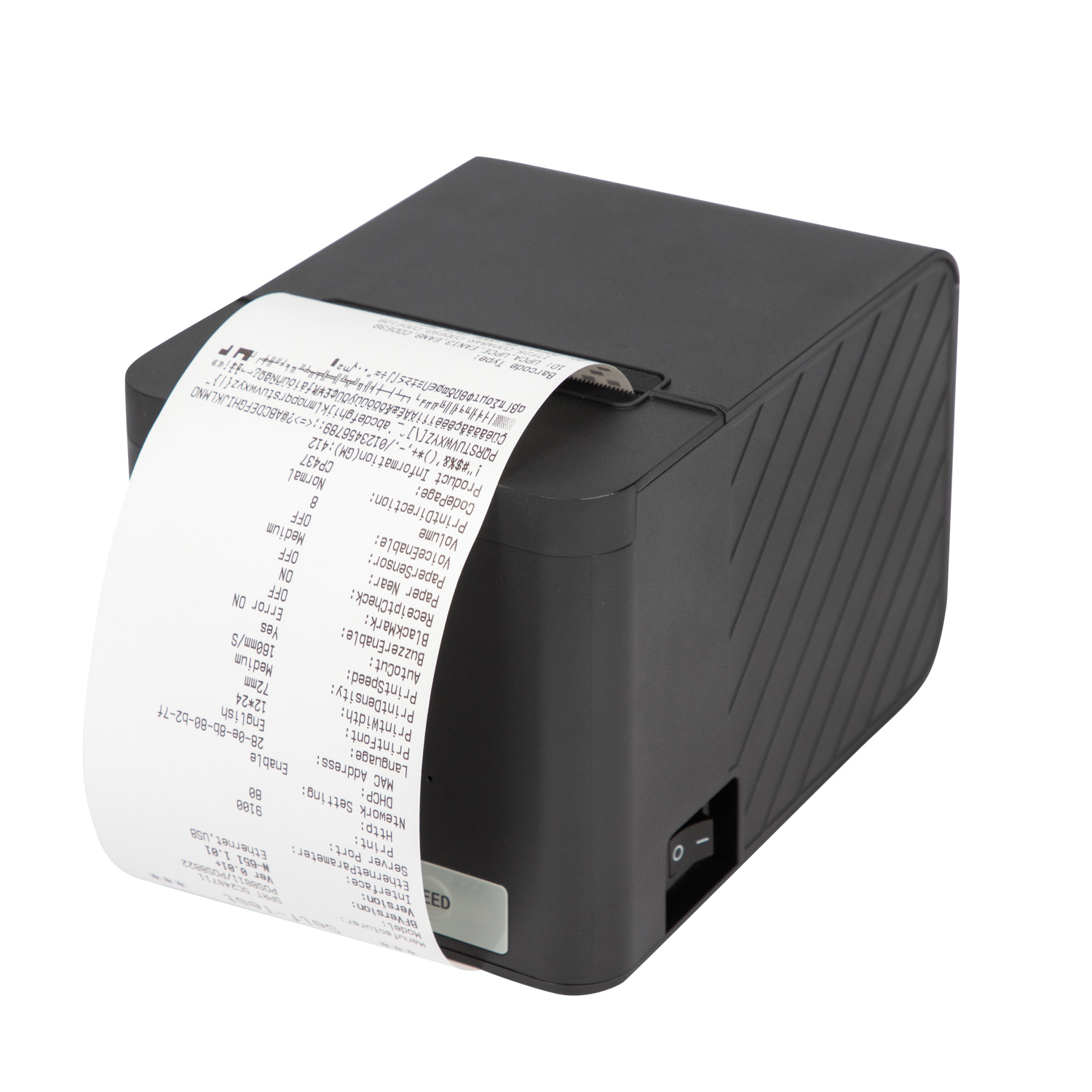
Hardware choices heavily influence overall queue speed. The 80mm format consistently outperforms 58mm alternatives in busy settings. This dominance comes down to capacity rather than pure output speed.
Larger 80mm rolls hold significantly more paper. Cashiers perform fewer mid-rush paper changes. Every paper swap pauses the checkout line entirely. Reducing these physical interruptions directly increases your hourly transaction throughput. Thicker rolls also curl less near the core. This prevents feeding issues common in smaller formats.
Information density presents another major advantage. The wider format allows for faster reading of complex orders. Kitchen routing relies on immediate legibility. Line cooks need to read modifications at a glance. You can also comfortably accommodate QR codes. Return policies and loyalty program prompts fit easily. You achieve this density without needlessly elongating the paper strip.
Durability remains crucial during peak hours. Commercial-grade 80mm units are physically engineered for heavy workloads. High-speed thermal friction generates intense, localized heat. Quality printers manage this heat dissipation effectively. They use specialized ceramic elements or aluminum heat sinks. They operate continuously without overheating or pausing to cool down.
Buying a 300mm/s unit does not guarantee instant printouts. Unseen bottlenecks often throttle actual output speeds. You must identify these issues early.
The interface throttling effect causes major delays. Legacy serial ports transfer data very slowly. Slow Bluetooth connections force pauses during data transfer. Congested Wi-Fi networks drop data packets entirely. A busy store contains hundreds of customer smartphones. These devices create massive wireless interference. The hardware waits for the data to arrive. It cannot print what it has not received.
Software latency adds another layer of delay. Bloated point-of-sale architectures routinely add seconds of lag. Cloud-sync delays hold up local hardware triggers. Unoptimized print drivers communicate poorly between the tablet and the hardware. These software flaws waste precious seconds before the hardware even begins its mechanical action.
Mechanical weak points introduce severe operational risks. Pushing extreme speeds increases paper jam probabilities. The internal auto-cutter must keep pace. If the paper path design proves flawed, jams occur constantly. Fast printing requires superior mechanical synchronization. A jammed machine creates zero throughput, regardless of its speed rating.
Selecting the right supplier ensures long-term operational success. You must look beyond standard marketing spec sheets. Avoid choosing a unit solely based on the highest advertised mm/s rating. True value lies in daily consistency.
Evaluate critical reliability metrics carefully. Mean Time Between Failures (MTBF) matters far more than theoretical peak speeds. Manufacturers should provide these figures transparently upon request.
Thermal Head Life: Demand a minimum standard of 100km to 150km. This ensures years of consistent, legible output before replacement becomes necessary.
Auto-Cutter Life: Look for a minimum standard of 1.5 to 2 million cuts. Cutter failures halt operations immediately. A robust cutter mechanism prevents catastrophic lane closures.
Warranty and RMA (Return Merchandise Authorization) implementation deserve close scrutiny. High-speed retail environments demand fast fixes. Assess the manufacturer’s replacement policies thoroughly. You need hot-swap capabilities for failed units. Minimal RMA turnaround times keep your lanes fully operational.
Driver and integration support define the initial setup experience. Ensure the manufacturer provides robust Software Development Kits (SDKs). These tools must receive continuous updates to patch vulnerabilities. Seamless integration relies on strong compatibility across major ecosystems. Verify smooth operation across Windows, Android, iOS, and Linux platforms before deploying widely.
Strategic procurement requires local testing and detailed auditing. Follow these practical steps before finalizing your bulk hardware order. Do not skip the evaluation phase.
First, audit your current hardware setup. Map the actual time spent on payment authorization. Compare this metric against the time spent on physical printing. This audit identifies your true checkout bottleneck. Upgrading hardware makes no sense if network latency causes the primary delay.
Second, match your chosen hardware to your connection interface perfectly.
If deploying mobile tablets, network or Bluetooth units work best. A 200mm/s unit handles this wireless setup sufficiently without dropping data.
If using hardwired traditional lanes, prioritize USB or Ethernet connections. A 250mm/s hardwired 80mm Pos Receipt Printer maximizes lane throughput effortlessly.
Third, conduct rigorous pilot testing. Purchase one or two test units first. Deploy them in your busiest checkout lane. Run a 30-day trial to gather real-world data. Observe thermal head wear and jam frequency daily. Track actual print latency during lunch rushes or holiday peaks. Ask cashiers for their direct feedback regarding usability.
Peak print speed serves as a secondary metric for successful queue management. Overall reliability and connection stability impact daily operations far more heavily. A standard Receipt Printer operating consistently at 200–250mm/s outperforms erratic high-speed models. A reliable auto-cutter prevents disastrous lane closures mid-rush. Conversely, a poorly constructed 300mm/s unit that frequently jams costs businesses time and customer goodwill.
Procurement teams must demand MTBF testing data from manufacturers directly. You should conduct localized interface latency tests before placing bulk orders. Upgrading hardware strategically ensures your checkout lines keep moving effortlessly day after day. Focus on balanced performance over theoretical maximums.
A: It can, depending on component quality. Cheap thermal heads struggle at extreme speeds. They often produce faded, illegible text. High-quality units solve this by adjusting power dynamically. They increase thermal energy automatically to maintain dark, crisp printing even at rapid speeds. Always verify head quality.
A: Yes, many 80mm models accommodate 58mm paper rolls. They use adjustable paper guides or internal baffles to secure the narrower roll. However, models restricted by fixed-width constraints cannot make this adjustment. Always check the physical paper guide features before purchasing if you need flexibility.
A: Most commercial units last between three and five years. Lifespan depends heavily on daily cut volume and thermal wear. Regular maintenance extends this timeline significantly. Environments exposing hardware to grease or dust may experience shorter lifespans unless utilizing specialized industrial models.
A: Upgrading hardware trims precious seconds off each transaction. However, it rarely solves slow lines entirely on its own. You must pair fast printing with rapid payment terminals. Efficient POS software processing ensures the hardware actually receives print commands without delay.


