


Views: 0 Author: Site Editor Publish Time: 2026-05-14 Origin: Site


Operating a modern café or quick-service restaurant (QSR) demands serious efficiency. Premium counter space remains incredibly limited today. Because of this, checkout workflows must remain fast and completely frictionless. Unfortunately, clunky, oversized POS hardware quickly creates cable clutter. These bulky setups disrupt seamless employee movement behind the counter. Meanwhile, underpowered printers inevitably cause annoying paper jams. They create frustrating checkout queues exactly when you face peak morning rushes.
You need a better hardware strategy. This guide provides a practical, scenario-driven framework for your business. We will help you evaluate whether a compact 58mm unit fits your exact operational needs. You will discover how to select a reliable model. We also explain how to integrate it seamlessly into your existing POS ecosystem.
Match Size to Strategy: A 58mm thermal receipt printer is ideal for basic text receipts, minimizing counter footprint and consumable costs, whereas 80mm is better for heavy branding.
Prioritize Cable Management: Opting for a 58mm thermal receipt printer with a built-in adapter eliminates power brick clutter, a critical advantage for tight café counters.
Beware Environmental Traps: Thermal printers thrive at the front counter but require strict placement strategies (or front-exit designs) to survive spills, heat, and grease if used near food prep areas.
Verify Connectivity Realities: Do not rely on wireless models in kitchens where stainless steel blocks signals; prioritize Ethernet or reliable Bluetooth for localized POS pairings.
You should avoid simply buying the biggest printer available. The goal is finding the most appropriate unit for your physical layout. A 58mm Thermal Receipt Printer weighs significantly less than traditional enterprise models. It takes up a fraction of your valuable counter space. They also use highly cost-effective paper rolls. This reduces your ongoing operational overhead.
However, you must consider text-wrapping limitations. Narrow paper means long menu item names will automatically wrap to the next line. Businesses must carefully assess their POS software capabilities. You need to ensure your software formats tickets cleanly for narrower paper widths. Crowded receipts confuse customers and slow down service.
Compact models excel in specific environments. They provide exceptional value when deployed in the right physical locations.
Coffee shop checkout counters where space holds premium value.
Food truck point-of-sale systems requiring compact, lightweight hardware.
Mobile or pop-up kiosk locations demanding easy transport.
Small retail boutiques needing simple, fast transaction records.
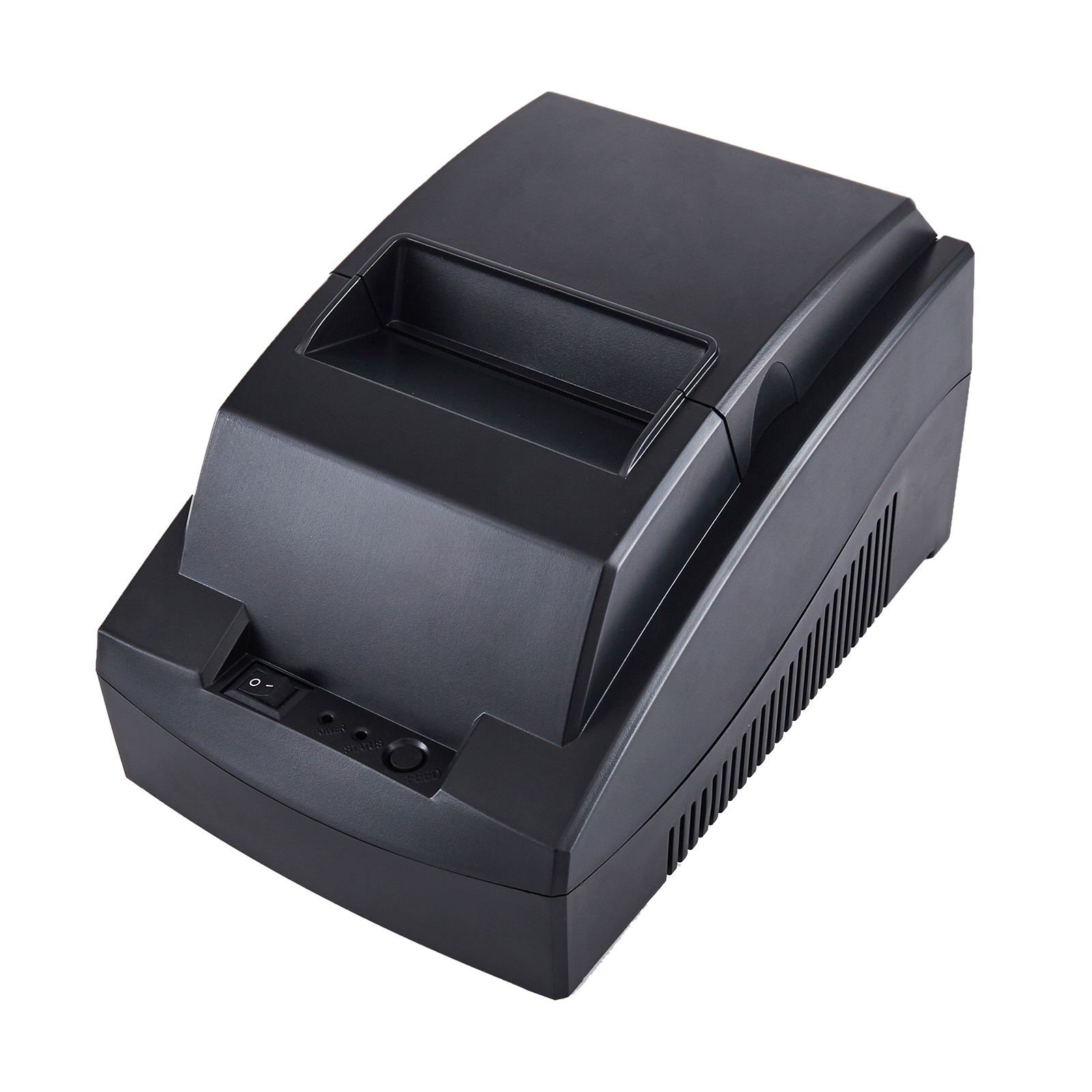
Front-of-house operations require careful attention to aesthetics and footprint. Acoustics also play a major role in customer experience. Thermal technology provides completely silent printing. This quiet operation proves essential for maintaining the relaxed ambiance of a café. You do not want loud, grinding gears interrupting customer conversations.
Modern restaurants pull orders from multiple sources simultaneously. Orders might originate from third-party delivery apps or table-side QR codes. Your hardware must support direct cloud or network printing. Direct routing avoids bridging delays. It prevents orders from stalling in a digital queue while customers wait outside.
Kitchen environments pose serious risks for standard POS hardware. Placing standard thermal printers near ovens or heat lamps invites disaster. Ambient heat literally cooks the chemically treated thermal paper. High temperatures turn thermal paper completely black. This instantly ruins critical kitchen order tickets.
We highly recommend placing thermal units only in modern, temperature-controlled prep areas. Keep them strictly away from fryers and grills. You should also seek out "front-exit" designs or spill-proof housings. A front-facing paper exit prevents falling debris from entering the machine. It stops flour, water, and coffee grounds from destroying the delicate internal print mechanism.
Cable management often dictates the success of a small workspace. We strongly highlight the benefits of a 58mm Thermal Receipt Printer with Built-In Adapter. Internalizing the power supply drastically reduces under-counter clutter. You eliminate the bulky, heavy power brick entirely.
This integrated design mitigates the risk of accidentally unplugging the device. Staff often kick external power bricks during busy shifts. Internal adapters simplify your overall hardware deployment. They create a cleaner, safer working environment behind the counter.
Smaller models still need to deliver commercial-grade performance. They must comfortably handle aggressive peak-hour loads. We recommend seeking a baseline print speed between 90mm/s and 130mm/s. This speed threshold effectively prevents workflow bottlenecks during morning coffee rushes. Slow printing directly causes customer queues to grow.
Many budget models utilize a simple manual tear-bar. We advise choosing a machine featuring a reliable auto-cutter. Auto-cutters rated for millions of cuts greatly reduce employee wrist fatigue. They also provide consistently clean, professional receipts. Clean edges elevate the customer experience far beyond jagged, manually torn paper.
Connectivity defines how well your hardware scales over time. You must carefully evaluate available interfaces like USB, LAN, Bluetooth, and Serial. A combined interface offers superior future-proofing. For example, a printer featuring both USB and LAN adapts easily. You can start with a direct USB tablet connection. Later, you can switch to LAN networking as your restaurant expands.
Evaluation Feature | Baseline Requirement | Primary Benefit |
|---|---|---|
Power Supply | Built-in adapter design | Eliminates bulky bricks and tripping hazards. |
Print Speed | 90mm/s to 130mm/s | Prevents checkout queues during peak hours. |
Paper Cutting | High-cycle Auto-cutter | Reduces staff fatigue; provides clean edges. |
Connectivity | Combined (USB + LAN/Bluetooth) | Ensures future-proof network scalability. |
Hardware deployments often fail due to predictable environmental oversights. You must navigate these common pitfalls to ensure operational stability.
Trap 1: The "Stainless Steel" Signal Drop. We strongly warn against using purely WiFi-based models in commercial kitchens. Heavy stainless steel equipment completely surrounds most prep areas. This metal acts as a shield, causing severe network drops and dropped tickets. Hardwired Ethernet remains the ultimate enterprise standard for kitchen reliability.
Trap 2: Ignoring POS Ecosystem Compatibility. Purchasing standalone hardware based solely on rock-bottom prices leads directly to driver conflicts. You must verify compatibility beforehand. Ensure the machine supports standard command sets like ESC/POS. Check integration boards for specific POS tablet systems like Square, Toast, or Clover.
Trap 3: Buying the Wrong Consumables. Saving pennies on cheap, low-grade thermal paper costs dollars later. Poor quality paper generates excessive, abrasive paper dust. This dust accumulates rapidly inside the machine. It eventually degrades the sensitive thermal printhead and routinely voids manufacturer warranties.
A printer’s actual value ties directly to its internal mechanical simplicity. Direct thermal technology uses zero ink cartridges or messy ribbons. Fewer moving internal parts equal fewer points of mechanical failure. High-quality 58mm units easily last for several years when properly maintained. You simply need to keep the printhead clean and the rollers free of debris.
You must establish a strict hardware care routine. Preventative maintenance stops minor issues from becoming catastrophic hardware failures.
Weekly Tasks: Wipe down the entire exterior housing using a lightly damp cloth. This prevents sticky grease and syrup buildup. Never spray chemical cleaners directly onto the printer.
Monthly Tasks: Power down the machine completely. Open the paper hatch. Use a dry, lint-free cloth or a specialized cleaning pen on the thermal printhead. Gently swipe across the element to remove accumulated paper dust. Clean the rubber feed rollers to prevent paper jams.
Software Tasks: Periodically check the manufacturer's website for firmware updates. Regular updates maintain strict POS compatibility. They patch known security vulnerabilities and fix unexpected operational bugs.
Frequency | Action Required | Target Area |
|---|---|---|
Daily | Check paper roll alignment. | Internal paper bin. |
Weekly | Wipe away grease and dust. | Exterior housing and buttons. |
Monthly | Remove paper dust buildup. | Thermal printhead and rollers. |
Quarterly | Verify driver and firmware versions. | Software ecosystem. |
Choosing the right hardware requires a logical decision matrix. Start by evaluating your physical counter space constraints. This often dictates the immediate need for a compact 58mm model. Next, carefully evaluate the working environment. Areas prone to spills require front-exit designs. Tight counters demand models featuring a built-in adapter to eliminate wire clutter. Finally, finalize your choice based strictly on connectivity requirements, prioritizing LAN over wireless for critical areas.
We encourage you to audit your current POS hardware constraints today. Grab a tape measure and assess your available counter space. Review your menu item lengths in your software database. Once you understand these core variables, you can confidently shortlist the most reliable models for your business.
A: Yes, you can print logos and QR codes on narrower paper. However, the printable area remains strictly limited. You must test your receipt formatting within your POS software beforehand. Small, simple QR codes work best for customer scanning. Complex logos might appear pixelated if they require too much horizontal space. Keep designs clean and minimalistic.
A: This specific design internalizes the power supply. It eliminates the bulky external power brick from your workspace. You instantly free up tight café counter space. This streamlined setup reduces tripping hazards. It also prevents staff from accidentally kicking or unplugging the power cord during busy shifts.
A: Generally, no. Standard thermal models struggle near direct heat sources. Heat lamps or ovens will turn thermal paper completely black. You can deploy them in modern, tightly temperature-controlled prep areas. Otherwise, keep them safely away from active cooking zones. Many kitchens prefer impact printers for high-heat stations.
A: Print longevity depends heavily on paper quality and storage conditions. Typical thermal prints begin fading after a few months. Exposure to direct light, humidity, or heat accelerates this process. They are ideal for immediate transactions and customer handouts. Do not use standard thermal receipts for long-term tax archiving unless you scan them digitally first.


