


Views: 0 Author: Site Editor Publish Time: 2026-05-05 Origin: Site


Standardizing point-of-sale hardware across tens or hundreds of retail locations requires balancing upfront procurement costs against long-term reliability. Retail leaders often struggle finding devices built for scale. Selecting the right hardware shapes the customer checkout experience directly. When devices fail, lines grow longer. Frustrated customers abandon their purchases.
For businesses printing short, non-itemized receipts, the 58mm format offers massive operational advantages. Smaller paper rolls reduce consumable waste significantly. These compact units also save highly valuable counter space. You do not always need a wide-format printer for simple transactions like coffee orders or event tickets.
Successfully deploying a 58mm Thermal Receipt Printer fleet requires looking far beyond the base unit price. You must carefully evaluate integration compatibility across various software platforms. You also need to examine counter-space efficiency. This guide will show you how to select the right hardware partner for seamless, multi-location deployments.
Footprint & Efficiency: 58mm thermal printers maximize counter space and reduce paper consumption costs compared to standard 80mm models.
Cable Management: Solutions featuring built-in power adapters significantly reduce checkout clutter and minimize hardware failure points.
Integration Readiness: True deployment success hinges on ESC/POS command compatibility and cross-platform driver stability.
Total Cost of Ownership: Long-term evaluation must account for print head lifespan, mean time between failures (MTBF), and vendor RMA processes.
Retail environments handle wildly different transaction loads. We evaluate receipt printers based on itemization density. A traditional grocery store requires an 80mm wide receipt. Customers buy dozens of items. They need long, detailed lists. However, quick-service restaurants operate differently. Coffee shops, pop-up retail booths, and ticketing counters process short transactions. Most orders contain fewer than five items. Here, the 58mm format excels perfectly. It displays essential information clearly. It avoids unnecessary blank space. Standardizing on this narrower format matches hardware capability to actual business needs.
Counter space represents prime retail real estate. Every square inch holds immense value. Checkout counters usually host multiple devices simultaneously. You find payment terminals, barcode scanners, cash drawers, and promotional displays crowded together. Evaluating the physical footprint becomes critical. Self-service kiosks demand even stricter space requirements. Internal kiosk enclosures lack excess room. Mobile POS stations mounted on rolling carts face similar limitations. Choosing a compact 58mm unit frees up space. You can utilize this reclaimed area for impulse-buy merchandise. It also makes the checkout zone look cleaner.
Paper expenses accumulate rapidly across multiple retail locations. Stepping down from 80mm to 58mm width rolls generates immediate savings. The narrower rolls cost substantially less to manufacture and ship. You use less paper per transaction. Multiply these daily savings across hundreds of stores over several years. The financial impact becomes massive. Calculating these long-term paper savings helps justify fleet upgrades. Reducing paper volume also lowers shipping weight. It shrinks storage space requirements in small backrooms. Your logistics network becomes more efficient.
Defining a successful multi-store hardware rollout prevents future headaches. Vague goals lead to poor implementation. First, establish strict uptime requirements. A successful deployment means zero downtime during peak holiday hours. Hardware must survive relentless usage. Second, evaluate installation speed. Technicians should complete a per-site installation in under ten minutes. Plug-and-play capability matters heavily here. Finally, monitor staff feedback closely. If employees struggle loading paper, the hardware fails the success test. Clear criteria ensure you procure the right equipment.
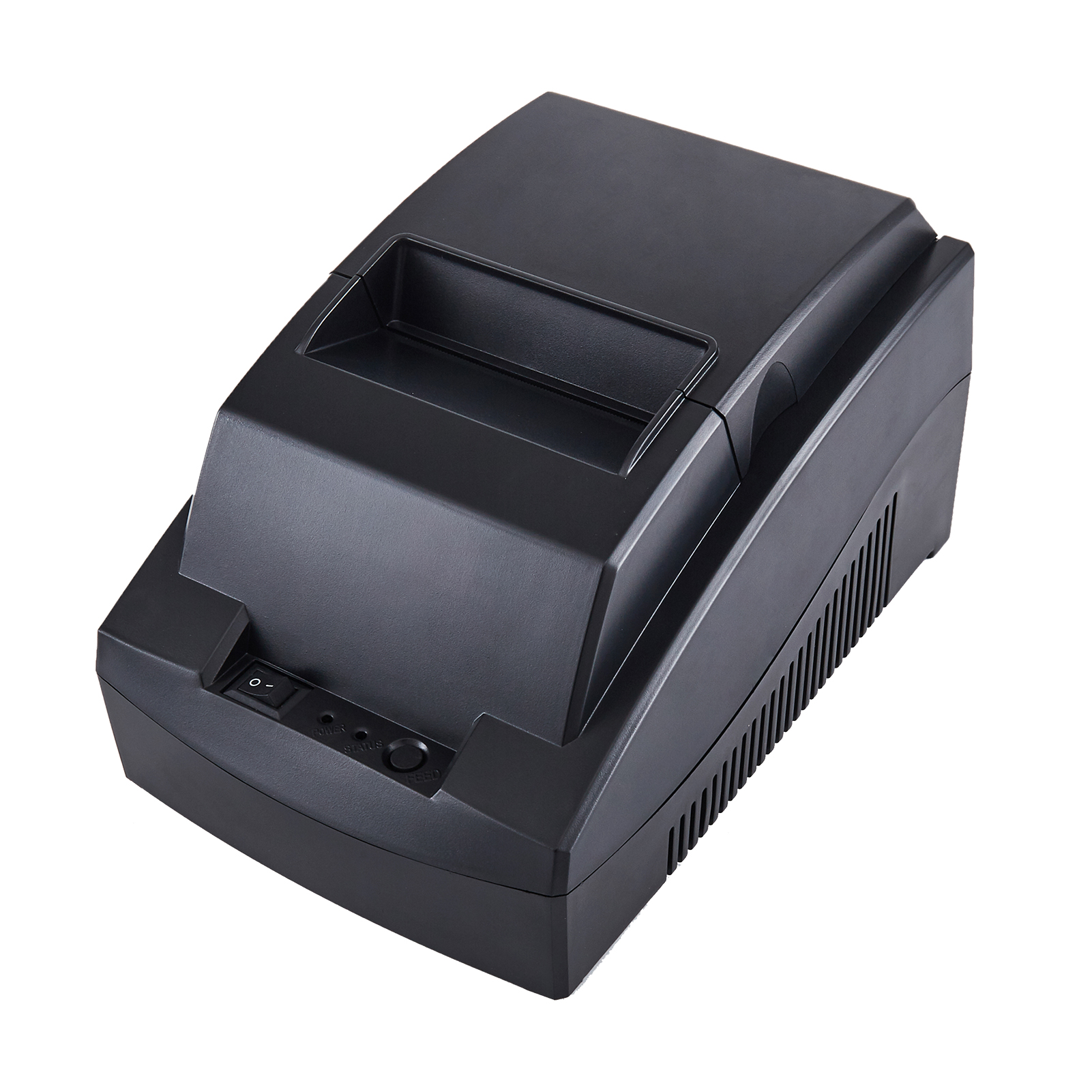
Hardware durability separates enterprise-grade printers from consumer-grade toys. You must evaluate the Mean Time Between Failures (MTBF). This metric predicts hardware reliability statistically. Verify specific vendor claims regarding print head life. Manufacturers measure this lifespan in kilometers of printed paper. A robust commercial unit should deliver at least 50 to 100 kilometers. Auto-cutter longevity represents another common failure point. Busy retail environments demand auto-cutters rated for 1 million to 1.5 million actuations. Cheaper plastic gears strip easily under heavy loads. Metal cutting assemblies provide superior longevity.
Enterprise retail subnets require flexible, secure connectivity options. Assess your interface requirements carefully. Legacy POS terminals might need Serial or standard USB connections. Modern tablet-based POS systems rely on wireless networks. Bluetooth works well for single-tablet pairing. Wi-Fi integrates better into larger store networks. If you choose Wi-Fi, scrutinize security protocols deeply. Ensure the hardware supports WPA3 encryption. Unsecured network printers create vulnerable access points for hackers. Ethernet (LAN) provides the highest stability for fixed checkout lanes.
Retail managers constantly balance queue mitigation against print quality. Print speed dictates how fast lines move. We measure speed in millimeters per second (mm/s). A standard 58mm printer should hit speeds between 70mm/s and 90mm/s. Faster speeds prevent bottlenecking during morning coffee rushes. However, speed must not destroy resolution. Retailers rely heavily on readable loyalty QR codes. Scannable barcodes drive return visits. A minimum resolution of 203 DPI ensures crisp graphics. Blurry barcodes frustrate both customers and scanning hardware.
Evaluation Metric | Consumer-Grade Baseline | Enterprise-Grade Requirement |
|---|---|---|
Print Head Lifespan | 30 - 50 Kilometers | 100+ Kilometers |
Auto-Cutter Actuations | 500,000 Cuts | 1.5 Million Cuts |
Print Speed | 50 mm/s | 90 mm/s or higher |
Network Security | Basic WEP / WPA | WPA3 / Enterprise 802.1x |
External power bricks create massive headaches for retail designers. These bulky black boxes consume precious under-counter space. Deploying a 58mm Thermal Receipt Printer with Built-In Adapter solves this problem instantly. Integrating the power brick directly into the printer housing reclaims valuable real estate. You no longer need to zip-tie heavy adapters to table legs. The checkout counter looks professional and tidy. This clean aesthetic improves brand perception. It also makes sweeping and mopping around the counter much easier for janitorial staff.
Every exposed cable represents a potential hardware failure point. Retail environments experience constant movement. Cashiers swap shifts quickly. Shift changes often result in kicked power bricks. An accidentally kicked adapter causes immediate disconnection. Re-establishing connection delays checkout lines. Sometimes, dropping the heavy brick damages internal wiring permanently. Housing the adapter internally eliminates the kicked power brick problem completely. A single, standard AC power cord runs straight from the wall to the printer. You minimize accidental disconnects. You protect the hardware from physical trauma.
Self-checkout terminals rely on tight, organized engineering. Internal kiosk space comes at a premium. Bulky power adapters complicate the installation process heavily. Built-in adapters simplify mounting inside enclosed retail fixtures. Engineers simply run one power line to the unit. They do not have to design custom brackets holding a separate power brick. This streamlined approach speeds up manufacturing. It reduces overall kiosk assembly time. Field maintenance also becomes easier. Technicians swap malfunctioning units faster without hunting for buried external power supplies.
Integrating a power adapter internally requires excellent thermal engineering. You must evaluate voltage stability under continuous printing conditions. Poorly designed internal adapters overheat quickly. Heat degrades internal electronic components. It shortens the motherboard lifespan. Leading hardware manufacturers utilize specialized heat dissipation techniques. They design ventilated housings. They use high-quality capacitors ensuring voltage remains perfectly stable. A stable power supply prevents unexpected printer reboots. It guarantees consistent print darkness across thousands of receipts. Reliable internal power architecture keeps your checkout lanes operational.
Hardware means nothing without seamless software integration. You must validate command set emulation carefully. Most POS software relies on the industry-standard ESC/POS command protocol. Your chosen hardware must interpret these commands flawlessly. Test driver compatibility rigorously. Modern retail environments mix operating systems frequently. A single store might run Windows on the back-office server. The main lane might use Linux. Mobile staff might carry iOS or Android tablets. Cross-platform driver stability prevents software crashes. Always request SDKs (Software Development Kits) for mobile application integration.
Never roll out new hardware globally without a pilot phase. Structuring a 30-day single-location pilot mitigates disaster. Choose a high-volume store for this test. Push the hardware resiliently under real-world transaction loads. Artificial lab environments rarely expose true weaknesses. A busy store uncovers paper jamming issues quickly. It reveals thermal overheating under stress. Monitor the pilot location closely. Gather feedback from cashiers daily. Resolve any driver conflicts discovered during this period. The pilot protects your brand from widespread system failures.
Even the best hardware fails if staff reject it. Complex paper loading mechanisms cause queue bottlenecks. Cashiers panic when paper runs out during rushes. Prioritize drop-in paper loading features. Staff should open the lid, drop the roll, and close it instantly. Maintenance protocols require equal attention. Thermal printers need regular care. Establish standard operating procedures for routine cleaning.
Turn off the printer completely before maintenance.
Open the top cover to expose the thermal mechanism.
Wipe the print head gently using a specialized isopropyl alcohol pen.
Remove any paper dust buildup near the auto-cutter blade.
Allow all components to dry fully before restoring power.
Hardware eventually breaks in harsh retail environments. Evaluating the vendor's warranty terms protects your operations. Look closely at Return Merchandise Authorization workflows. Fast turnaround times for replacing defective units remain crucial. Waiting weeks for a replacement hurts your business. Every broken lane minimizes transaction throughput. Seek partners offering advanced replacement programs. They ship a new unit immediately upon failure notification. You return the broken unit later. This approach minimizes lane downtime effectively. It keeps revenue flowing.
Scaling a rollout across hundreds of regions requires massive logistical coordination. Assess the vendor supply chain stability deeply. Global chip shortages disrupt manufacturing unpredictably. You need a partner holding significant domestic inventory. Multi-region rollouts usually occur in distinct phases. You might upgrade the East Coast in Q1 and the West Coast in Q2. The vendor must guarantee hardware availability across your entire timeline. Splitting a fleet between two different models due to stockouts causes immense IT support headaches.
Smart enterprise buyers move past the initial unit MSRP. You must calculate the three-to-five-year operational expense model. Cheap hardware often costs more eventually. Factor in daily power consumption. Internal adapters typically offer better energy efficiency. Analyze expected paper yields over five years. Narrower paper saves thousands of dollars annually. Model your expected replacement rates. A robust printer lasting five years outperforms a cheap model dying every eighteen months. Look at the entire lifecycle. Base your procurement decisions on long-term value, not just initial invoice price.
Turn these evaluation dimensions into a quantifiable scoring matrix. Weight each category based on your specific operational needs. If counter space is your biggest problem, weight built-in adapters heavily. If you run complex tablets, weight wireless drivers heavily. Narrow your list to three competing models. Request demo units from each vendor immediately. Give these units to your IT integration team. Let them run stress tests against your POS software. Real-world testing solidifies your ultimate hardware decision.
Deploying a well-chosen 58mm thermal receipt printer fleet transforms checkout operations. It drives daily operational efficiency upward. It reduces consumable paper waste drastically. Furthermore, it tightens the physical POS footprint, freeing up valuable counter space. Businesses processing short transactions gain immense benefits by adopting this compact format over traditional 80mm setups.
We strongly recommend prioritizing models combining robust MTBF ratings with smart engineering. Streamlined cable management prevents accidental damage. Internal power adapters keep workspaces clean. Proven cross-platform POS compatibility ensures smooth software deployments. Hardware durability ensures lanes stay open during critical sales periods.
Contact your enterprise hardware sales team today. Request a detailed specification sheet for current models. Ask for a comprehensive lifecycle cost calculator. Better yet, request a hardware demo unit for immediate IT evaluation. Testing the hardware in your own environment guarantees a successful multi-store rollout.
A: The primary difference is paper width. 58mm printers use narrower rolls, ideal for short transactions like coffee or tickets. 80mm printers accommodate wider receipts, allowing higher information density for large grocery lists. 58mm models generally cost less and consume less paper, offering superior long-term savings.
A: No. These devices utilize direct thermal printing technology. The print head applies localized heat to chemically treated thermal paper. The paper darkens where heated, producing crisp text and images. You never need to replace ink cartridges or ribbons, lowering ongoing maintenance costs significantly.
A: Integration depends on connectivity. For tablets, choose a model supporting Bluetooth or Wi-Fi. You must ensure the hardware vendor provides a robust Software Development Kit (SDK) compatible with iOS or Android. This SDK allows your POS application to send ESC/POS commands wirelessly to the printer.
A: A high-quality commercial unit typically lasts three to five years under heavy retail use. Baseline expectations require the print head to survive at least 100 kilometers of paper throughput. The auto-cutter mechanism should reliably perform between 1 million and 1.5 million cuts before requiring replacement.


