


Views: 0 Author: Site Editor Publish Time: 2026-08-26 Origin: Site


Choosing an embedded printer mechanism carries high stakes for any hardware project. Selecting the wrong module often leads to costly hardware redesigns, excessive field maintenance, and a frustrating end-user experience. Hardware engineers must get this decision right.
We define a panel printer as a highly compact, integrated printing unit. Manufacturers specifically design these modules for seamless embedding into larger host systems. Common applications range from self-service kiosks and medical diagnostic devices to point-of-sale terminals and heavy industrial equipment.
You will quickly realize no universal "best" printer exists. The decision between thermal and dot matrix technologies ultimately hinges on environmental variables, archival compliance needs, and strict maintenance constraints. In this guide, you will learn how core mechanisms function. You will evaluate key deployment dimensions and apply a practical framework to select the ideal hardware for your specific use case.
Thermal Panel Printers offer high-speed, silent operation with zero ink maintenance, making them ideal for high-volume, clean environments.
Dot Matrix Panel Printers provide unmatched durability in high-heat environments and support multi-part carbon forms, essential for specific regulatory or kitchen scenarios.
The 58mm panel printer is the industry standard form factor, but buyers must align voltage, interface (USB/RS232/TTL), and mounting dimensions before procurement.
A Thermal Panel Printer relies on direct heat transfer to generate text and graphics. The mechanism features a specialized printhead containing hundreds of microscopic heating elements. When energized, these elements press directly against chemically treated thermal paper. The heat triggers a chemical reaction. This reaction instantly darkens the paper to form precise characters and high-resolution images.
This streamlined mechanism carries significant business implications. You completely eliminate the need for moving ribbons, toner, or ink cartridges. Consequently, thermal units boast an extremely low mechanical failure rate. They operate silently. The lack of consumables reduces ongoing management headaches for facility operators. However, you must pair them exclusively with specialized thermal paper rolls.
A Dot Matrix Panel Printer operates on entirely different physical principles. It utilizes an impact printhead containing a matrix of tiny metal pins. These pins rapidly strike an ink-soaked ribbon. The impact presses the ribbon against standard, untreated paper to leave distinct ink dots. These dots visually combine to form readable characters.
This physical impact approach delivers unique business advantages. The striking force allows for carbon-copy printing across multi-part forms. The ink and standard paper combination remains completely immune to ambient heat. However, the mechanical striking introduces noticeable operating noise. It also requires active consumable management, as you must physically replace the ink ribbons once they dry out or deplete.
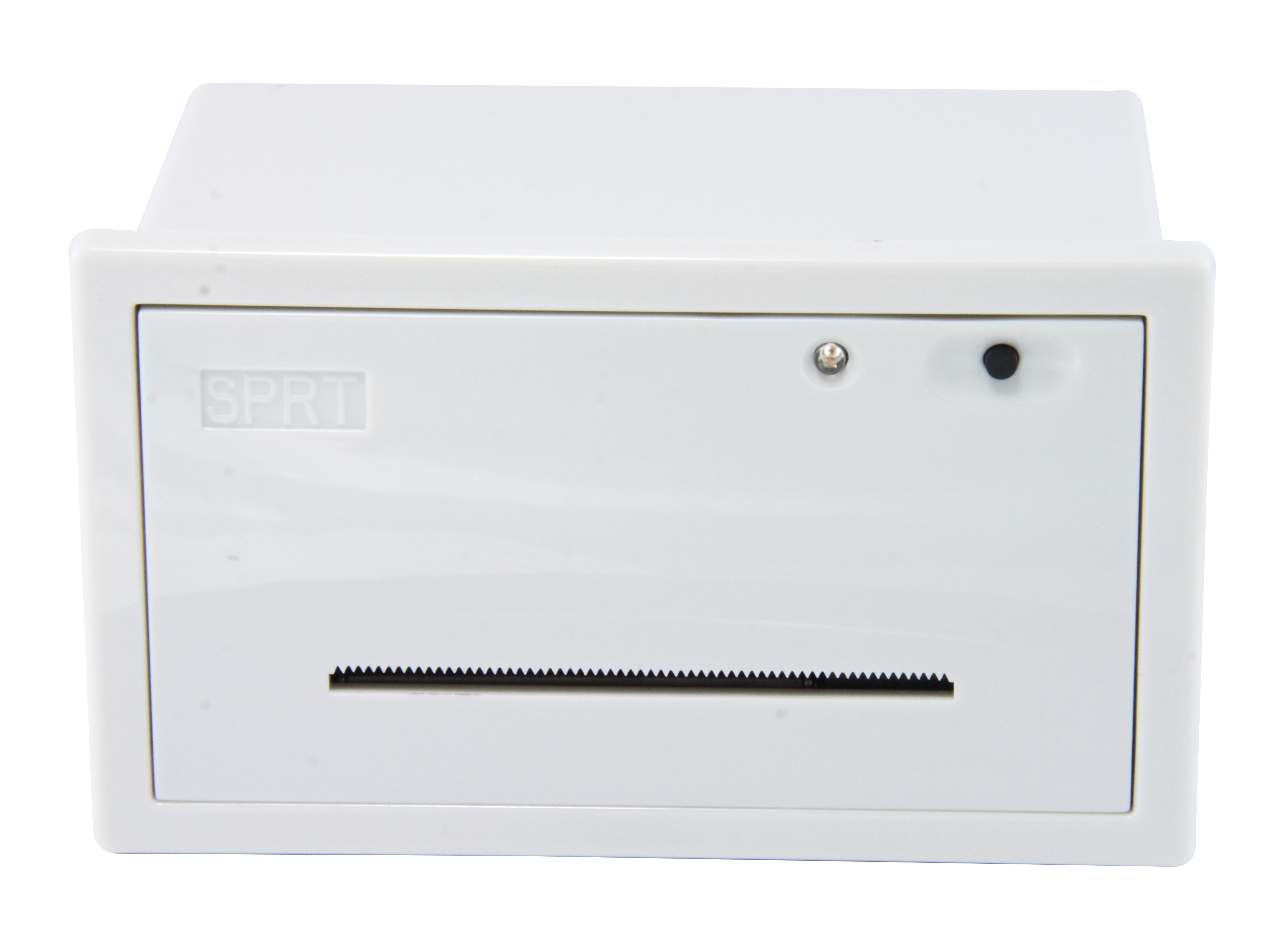
Deploying printers in extreme environments tests their fundamental limits. Heat and humidity pose the largest threats to reliable operation. Impact printers excel in high-temperature settings like commercial kitchens, factory floors, or vehicle dashboards. In these environments, ambient temperatures frequently exceed 140°F (60°C). If you expose thermal paper to such high heat, the entire roll will turn completely black. This ruins the media and renders any printed text illegible.
Conversely, dust and debris affect these two technologies differently. Thermal units feature far fewer moving parts. They essentially consist of a rubber roller and a fixed ceramic head. This simplicity makes them slightly more resistant to airborne dust. Impact printers expose complex gear mechanisms and delicate pin arrays to the elements. Heavy particulate matter can jam the ribbon carriage or clog the printhead pins if you do not properly enclose the module.
Archival quality remains a major dividing line between the two formats. Thermal prints naturally fade over time. Depending on paper quality and UV exposure, a standard thermal receipt remains legible for roughly one to five years. Prolonged exposure to sunlight or certain chemicals accelerates this fading process.
Impact prints are permanent. The physical ink bonds securely to standard paper fibers. This permanency drives strict compliance decisions. Fire alarm panels, industrial weighing scales, and specialized financial systems often require permanent, non-fading physical logs. Regulatory auditors demand records spanning decades. These stringent archival requirements force engineers to specify dot matrix solutions over thermal alternatives.
User experience dictates how customers and operators interact with your embedded device. Thermal units dominate when speed and silence matter. Modern thermal mechanisms operate at blistering speeds ranging from 50mm/s to well over 150mm/s. Furthermore, the sliding contact between the printhead and paper generates almost no audible noise.
Impact units are significantly slower. Engineers measure their output in lines per second rather than millimeters per second. The rapid striking of metal pins generates noticeable mechanical noise. This loud buzzing sound can be highly disruptive in quiet environments. Hospitals, libraries, and high-end retail boutiques generally avoid impact mechanisms to preserve a calm atmosphere.
The hardware industry widely recognizes the 58mm Panel Printer as the gold standard form factor. This specific paper width perfectly balances readability and compactness. Engineers heavily rely on it for embedded kiosks, ticketing machines, and general receipt generation.
Choosing 58mm offers immense cost-efficiency. It taps into a massive global supply chain. Facility managers can easily source 58mm media anywhere in the world. Suppliers readily stock both 58mm thermal rolls and 58mm standard bond paper rolls. This ubiquity guarantees you will never struggle to find compatible media after deploying your hardware.
Physical and electrical integration requires careful engineering. Power requirements differ drastically between mechanisms. You must evaluate 5V, 9V, and 12V/24V power draws carefully. Thermal units often require higher peak currents. Heating hundreds of microscopic elements simultaneously during dense graphic printing pulls significant temporary amperage. Your host device power supply must handle these spikes without browning out.
Space and panel cutouts also present strict constraints. A standard 58mm Dot Matrix Panel Printer is often significantly deeper than a thermal equivalent. The housing must accommodate the bulky ink ribbon casing and the mechanical carriage array. Thermal variants strip away these components. They offer highly compact profiles ideal for slim kiosks and handheld diagnostic tools. Always request detailed CAD models to verify your internal enclosure clearances.
Retail self-service kiosks: These environments demand high-speed processing to keep queues moving swiftly. The silent operation improves the shopper experience.
Medical diagnostic equipment: Hospitals require strictly quiet operation. Thermal heads also provide the high-resolution output needed for intricate EKG or diagnostic chart printing.
Queue management systems: High-volume ticket dispensers benefit from the zero-maintenance aspect, as staff do not need to change ink constantly.
Parking ticket dispensers: Compact form factors fit easily into narrow parking bollards, provided the housing offers adequate heat shielding.
Commercial kitchen ticket routing: Hot food lines rely on impact technology because standard paper remains completely impervious to grease splatters and intense heat lamps.
Industrial automation: Heavy machinery logs, factory PLCs, and rugged weighing scales need permanent paper records that survive dirty, un-airconditioned factory floors.
Logistics and delivery hubs: Systems requiring duplicate or triplicate carbon copies simultaneously must use impact pins to physically transfer the ink across multiple layers.
Deployment Environment | Recommended Technology | Primary Justification |
|---|---|---|
Hospital Wards | Thermal | Requires silent operation and high resolution. |
Commercial Kitchens | Dot Matrix | Resists high heat and grease exposure. |
Fire Control Panels | Dot Matrix | Requires permanent archival logging. |
Retail POS Kiosks | Thermal | Demands fast printing and zero ink maintenance. |
Every hardware deployment carries inherent risks. Identifying these vulnerabilities early saves immense frustration. The primary risk for thermal technology involves uncontrolled heat exposure. Deploying a thermal unit in an outdoor kiosk facing direct summer sunlight will create illegible, blackened receipts. You must engineer adequate ventilation, cooling fans, or UV-blocking enclosures to mitigate this.
Impact mechanisms carry different risks. The primary vulnerability is remote maintenance fatigue. Deploying these units in highly remote or unstaffed locations causes problems. Once the ribbon dries out, the machine stops producing legible text. Dispatching a technician solely to swap a $5 ribbon in a remote parking garage wastes valuable resources.
Hardware teams should apply a rigid decision tree before purchasing sample units. Follow this exact sequence to narrow down your choices:
Does the environment exceed 140°F (60°C)? Examine your maximum ambient operating temperature. If yes, you must select Dot Matrix. Thermal media cannot survive these temperatures.
Do you need multi-part carbon copies or permanent archival logs? Check your regulatory or workflow requirements. If yes, you must select Dot Matrix. Impact pins are the only way to print through carbon layers.
If you answered No to both steps 1 and 2: Prioritize Thermal. You will immediately benefit from faster print speeds, better user experience, silent operation, and virtually zero routine maintenance.
The choice between embedded printing formats is rarely about which technology is fundamentally superior. Instead, it centers on which physical vulnerabilities your specific deployment can safely tolerate. You must weigh ambient temperature limits against consumable maintenance realities. Understand your user experience goals regarding speed and noise.
Take proactive steps today to secure your hardware design. First, advise your engineering and procurement teams to request specific CAD models and comprehensive electrical datasheets. Verify your internal mounting depths and peak current capabilities. Second, order a sample unit of both technologies. Run rigorous environmental stress testing inside your actual prototype enclosure. Only commit to mass production after validating the real-world performance under load.
A: Generally no. They print strictly in monochrome. The color depends on the specialized thermal paper you purchase. Most rolls produce black text, but you can source specific paper that reacts to heat by turning blue or red. True multi-color printing is not supported.
A: It heavily depends on your daily print volume. A standard ribbon typically lasts for 1 to 2 million characters before the ink fades. You must calculate your average daily character output to predict maintenance schedules accurately. It remains a critical factor for remote deployments.
A: No. While consumer-grade impact printing is largely dead, industrial and commercial demand remains incredibly strong. Their ruggedness, extreme heat resistance, and unique multi-part form capabilities ensure they remain indispensable in specific B2B sectors.
A: Most commercial units support a versatile combination of TTL, RS232 (Serial), and USB. This variety guarantees easy integration into modern microcontrollers like Arduino and Raspberry Pi, as well as legacy industrial PLCs.


